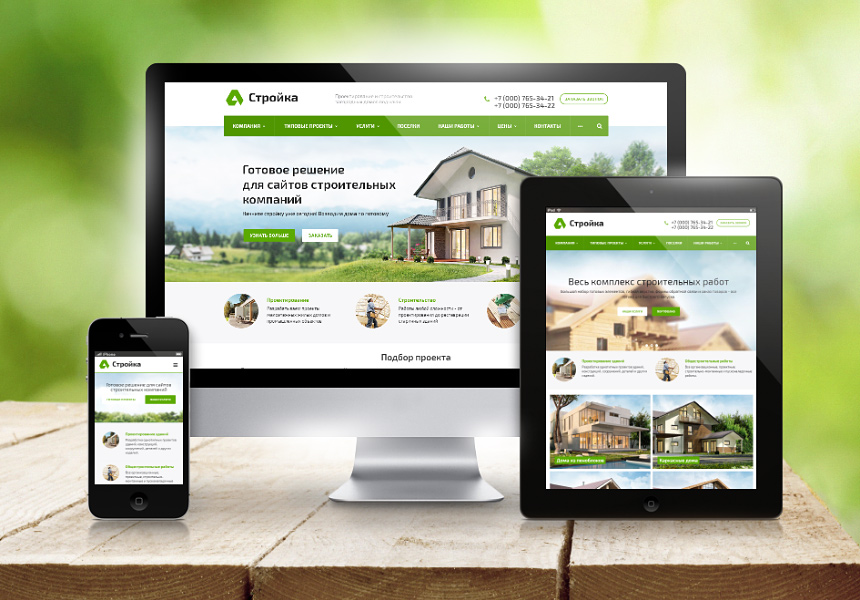





Yes, you can build a business website for free, with limits. Free plans from builders such as Wix and WordPress.com give you a working site on their subdomain (yourbusiness.wixsite.com) with the builder's branding and ads. To look professional, the one item worth paying for is your own domain, such as yourbusiness.ca. Add free listings on Google, Bing and Apple, and a small business can be found online for the price of a domain.
Disclosure: some links in this guide are partner links. If you buy through them, MMIX may earn a commission; your price stays the same.
What the free options actually include
| Option | What is free | Main limits |
|---|---|---|
| Wix free plan | Drag-and-drop builder, hosting, templates | Wix subdomain, Wix ads on every page, own domain needs a paid plan |
| WordPress.com free plan | Hosted blog-style site | wordpress.com subdomain, ads, limited themes and no plugins on the free tier |
| Squarespace | Free trial only | A paid plan is needed to publish long term |
| WordPress.org software | The software itself | Needs paid hosting and a domain, plus your time for setup and updates |
| GitHub Pages and similar static hosts | Hosting for static pages | Technical setup; GitHub's terms do not allow sites mainly used for commercial transactions |
Google used to offer free websites built from a Google Business Profile. Google shut that feature down in March 2024, so older guides that recommend it are out of date. The Business Profile itself is still free and still important.
How to start a business website for almost nothing in 7 steps
Step 1. Decide what the site has to do
Write down the one job of the site: show opening hours and a phone number, take booking requests, show a portfolio or sell products. A one-page site with contact details covers many local businesses. Online payments, bookings and stores usually push you into paid plans, so knowing this early saves a rebuild.
Step 2. Register your own domain
A domain is the part worth paying for from day one: it stays yours when you change builders, and it gives you a professional email address. Pick a short .ca or .com name and register it in the business's own account through a registrar such as Namecheap domain search. For a .ca name, our guide to registering a .ca domain explains CIRA's Canadian Presence Requirements.
Step 3. Set up the free listings first
Many customers find a local business through maps and search before they see any website. Create or claim your free Google Business Profile, Bing Places listing and Apple Business Connect place card. Use exactly the same business name, address and phone number everywhere, add photos, categories and hours, and link each listing to your domain once the site is live.
Step 4. Build the first version on a free plan
Choose a builder and make the site on its free plan. Our comparison of Wix, Squarespace and WordPress helps with the choice. Keep it to a few pages: home, services or products, about, and contact. Write clear headings that say what you do and where, for example "Bike repair in Kingston, Ontario", and add real photos of your work.
Prefer to hand it off? MMIX sets up domain, hosting, email and DNS for you — since 2012.
Fill in a short briefStep 5. Add the basics every business site needs
- A phone number and email that are easy to tap on a phone.
- Your address or service area, and opening hours that match your listings.
- A short privacy policy if you collect names or emails through a form, as PIPEDA expects transparency about personal information.
- A contact form or booking link that you have tested yourself.
- A page title and description for each page, written for people searching in your city.
Step 6. Connect the domain when you are ready to upgrade
Most builders require a paid plan to use your own domain and remove their ads. When the site starts bringing enquiries, upgrade and connect the domain through the builder's DNS instructions. If you would like to keep costs down, WordPress.org on budget hosting is another route; our hosting guide covers the choice, and the switch itself is explained in our DNS propagation article.
Step 7. Measure and improve
Connect Google Search Console to see which searches show your site, and check your Business Profile insights for calls and direction requests. Update the site when prices, hours or services change. A small site that is accurate and current serves customers better than a large one nobody maintains.
Where "free" stops
The free route costs time: writing, photos, setup and updates are on you. Free plans also come with limited storage and bandwidth, basic support and fewer settings for search, such as custom page addresses and redirects. Builder ads and a subdomain can make a business look temporary, and moving a site between builders usually means rebuilding it. For an estimate of paid options, see how much a website costs in Canada.
What to check: common mistakes
- Registering the domain in a designer's or friend's account. Keep it in the business's own account, with two-factor authentication.
- Different phone numbers or addresses on the site and listings. Search engines and customers trust consistent details.
- Using a personal Gmail address on the site. An address on your domain looks more trustworthy; see our business email guide.
- Stock photos only. Real photos of your team, shop and work convert better.
- Selling through a free static host. Check the terms of service before you build a store on any free platform.
FAQ
Can I make a business website completely free?
Yes, on a builder's free plan such as Wix or WordPress.com. The site will use the builder's subdomain and show its ads. Your own domain usually requires a paid plan.
Does Google still offer free business websites?
Google shut down the websites built from Google Business Profile in March 2024. The Business Profile listing itself is still free and is one of the most useful things a local business can set up.
Is a free website bad for SEO?
A free site can be found in search, especially for your business name. A subdomain, builder ads and limited settings make it harder to compete for broader searches, so most businesses move to their own domain once the site brings customers.
Is WordPress free?
The WordPress.org software is free to download and use. Running it needs a domain and hosting, which you pay for. WordPress.com is a separate hosted service with a free plan and paid upgrades.
What is the cheapest way to look professional online?
Register your own domain, set up free listings on Google, Bing and Apple, and build a simple site on a builder or budget hosting. An email address on your domain completes the professional look.
Do I need a business number to get a .ca domain?
A business number is optional. You need to meet CIRA's Canadian Presence Requirements, which cover Canadian citizens, permanent residents, Canadian corporations and several other categories, and you confirm this when you register.
Prefer to hand it off? MMIX sets up domain, hosting, email and DNS for you — since 2012. Tell us what you have now and what you need, and we will reply with a plan.
Request a proposalFill in the brief